Assert CSS

Ensures the Locator resolves to an element with the given CSS style
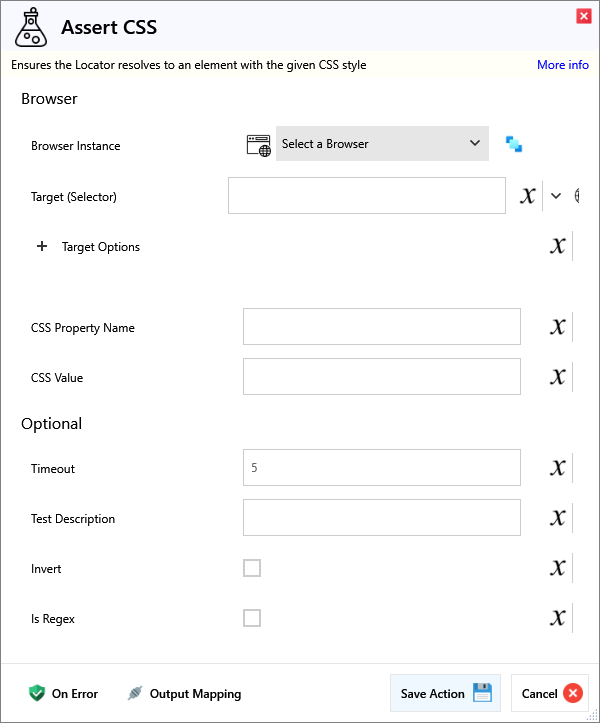
Input
Browser
| Name | Required | Description |
|---|---|---|
| Browser Instance | Which browser instance to run against. | |
| Target (Selector) | A Selector string that targets a specific element on the web page. |
Target Options
| Name | Required | Description |
|---|---|---|
| Match Type | Match Text either behaves as Regex or a simple Contains text check. | |
| Match Text | Matches elements that either contain this or match the regex somewhere inside the selected element, possibly in a child or a descendant element. | |
| Match Index (Nth) | (Optional) Target the Nth instance of the element. Eg. For 2 of the same element, use an Index of 0 to match the First and 1 to match the Second. | |
| Frame Target (Selector) | (Optional) Specify a Frame Selector, for example to first target an iframe before the primary Target. |
| Name | Required | Description |
|---|---|---|
| CSS Property Name | Name of the CSS property to assert | |
| CSS Value | Value of the CSS property to assert |
Optional
| Name | Required | Description |
|---|---|---|
| Timeout | The duration that the assert retries for | |
| Test Description | The Description of the test | |
| Is Regex | True if text is regex | |
| Invert | True to invert test |
Output
| Name | Required | Description |
|---|---|---|
| Action Success | True if the action passed, false if it failed. |