Data Table To CSV

Converts a Data Table to CSV
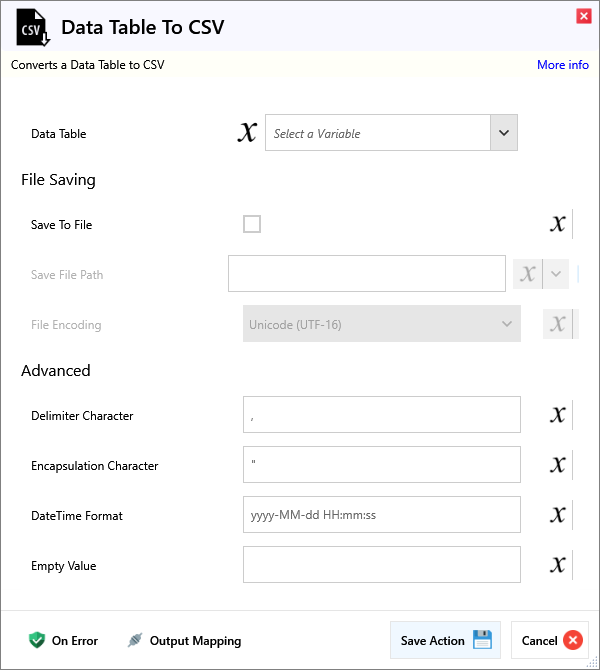
Input
| Name | Required | Description |
|---|---|---|
| Data Table | The Data Table to convert |
File Saving
| Name | Required | Description |
|---|---|---|
| Save To File | Saves the CSV to file instead of outputting it | |
| Save File Path | The file path to save the CSV to (e.g C:\Users\Name\Desktop\Untitled.csv) | |
| File Encoding | The encoding of the CSV file (e.g. UTF-8, ASCII) |
Advanced
| Name | Required | Description |
|---|---|---|
| Delimiter Character | The character that separates each value in the CSV (e.g. ,) | |
| Encapsulation Character | The character that surrounds each value in the CSV (e.g. ") | |
| DateTime Format | The format used for all DateTime values e.g. yyyy-MM-dd HH:mm:ss gives 2023-12-31 23:59:59 | |
| Empty Value | The value to use in place of all empty values |
Output
| Name | Required | Description |
|---|---|---|
| Action Success | True if the action passed, false if it failed. | |
| CSV | The CSV string output (File saving disabled) | |
| Saved File Path | The file path to the saved CSV file (File saving enabled) |