List Emails

Returns a list of emails from the specified folder in Outlook.
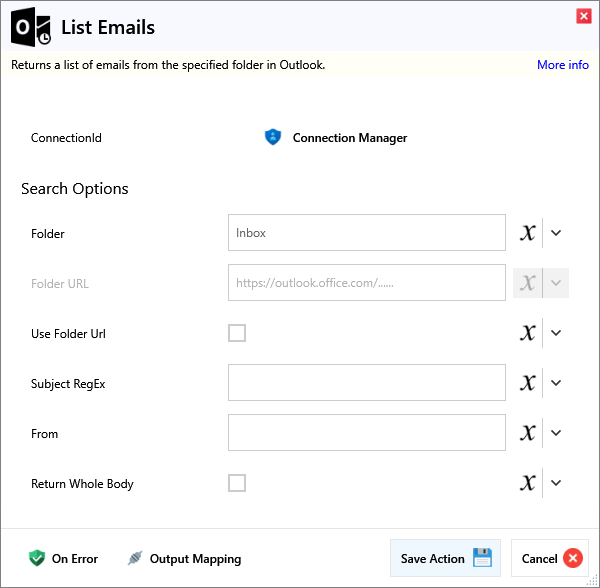
Input
Search Options
| Name | Required | Description |
|---|---|---|
| Folder | The name of the folder to search. | |
| Folder URL | The URL of the folder to search. | |
| Use Folder Url | If checked, the URL of the folder will be used rather than the name. Use this for subfolders or non-uniquely named folders | |
| Subject RegEx | Search for emails with subject matching this RegEx expression. | |
| From | Search for emails from this sender. | |
| Return Whole Body | Returns the full body of the email rather than only the first 255 characters. WARNING: This may result in high memory use |
Output
Email List Emails in the specified inbox